AdVideoLab
For fashion and accessories brands

Outfit and detail videos from the photos you already shot

Your lookbook and product shots are done. AdVideoLab turns them into creator videos, detail films and outfit changes for TikTok, Reels and Shorts, so each new drop can have video on day one.

On-model or flat layOutfit transitions9 languagesMP4 in minutes
UGC creatorA summer hat ad, made from one product photo
The fashion calendar

New drops, the same production bottleneck

Drops move faster than shoots

A new collection needs video for every hero piece. Booking models, a studio and an editor for each drop is slow and expensive.

Detail sells, and photos flatten it

Fabric, stitching and hardware are why people pay more. Still images rarely show how a piece moves.

One look per photo

Showing how to style an item three ways usually means three set-ups and three edits.

Returns follow false expectations

If an ad makes a piece look different from what arrives, it comes back. Creative has to stay true to the product.

From lookbook to feed

Movement and detail, made from your product photos

Use on-model shots for creator videos and flat lays or packshots for detail films, then link two looks with a transition.

Creator videos from on-model shots

Start from a photo of the piece being worn, and a creator shows it off and talks about it to camera.

Detail films

Single image mode gives a slow move along stitching, fabric or hardware, with no person on screen.

Outfit changes with transition

Upload two photos, the start look and the end look, and the video moves from one to the other.

Several angles in one video

Reference mode builds one scene from several photos: front, back, a fabric close-up and the packaging.

A consistent kind of creator

Personas keep the same kind of creator across a collection, with the age range, vibe and setting that fit your brand.

9 languages with lip-sync

Make the same ad for every market you ship to, without casting again.

How fashion brands use it

From lookbook to video ad in three steps

1

Pick the right photo

An on-model shot for creator videos, a flat lay or packshot for detail films, two matched shots for a transition.

2

Brief what should happen

Write with AI drafts the shots and the voice-over. Keep it to what the photo shows, especially the fit.

3

Download and test

Get the MP4s, run them on TikTok, Reels or Shorts, and put spend behind the version that wins.

For fashion brands

Fashion video ads from on-model shots and flat lays

People want to see how a piece moves, how it sits on a body and what the details look like up close. Still photos show very little of that. AdVideoLab can make that video from your existing photos, as long as you match the photo to the job and stay honest about what the model can know.

Match the photo to the video

Photo you haveBest videoMode
On-model shotA creator showing the piece and talking to cameraCreator (UGC)
Flat layA slow overhead drift across the pieceSingle image
Packshot or ghost mannequinA move along stitching, fabric or hardwareSingle image
Two matched looksA change from one outfit to the otherTransition
Front, back, detail and packagingOne scene that stays true to all of themReference

What the model can and can't know about fit

The video model sees pixels, not a size chart. It infers fit and drape from the photo, so:

  • An on-model photo is the best base for anything worn. It shows how the fabric falls on a body, and the model works from that.
  • A flat lay says little about fit. Use it for detail and colour, not for creator videos. A person can't naturally wear something the model has only seen from directly above.
  • Unseen sides are guesses. If the back of a jacket matters, add a photo of it in Reference mode rather than letting the model invent it.
  • Check every video against the real piece. If the drape or length looks different, regenerate or tighten the brief. Ads that misrepresent fit come back as returns.

Outfit changes with transition mode

Transition mode starts on one photo and ends on another, which suits fashion well: plain to styled, day to evening, one colourway to the next. Pick two photos with the same framing, pose and background, and describe how the change happens: a spin, a walk past the camera, a hand sweeping across the lens. The transition guide covers the set-up.

Creator videos that feel like a fit check

Short creator clips suit fashion feeds: a quick turn, one line about the fabric, the piece going into a weekend bag. Save a persona per audience so a collection keeps the same kind of creator, and make three angles per hero piece.

If a real model appears in your photos, you need their permission to use the image in ads. In Reference mode, Seedance 2.5 refuses photos with real human faces, so use Seedance 2.0 or crop to the garment.

Accessories

Watches, hats, bags and jewellery suit product-only video: a hand turning a watch in warm light, a slow move across a buckle. Keep the item large in the frame and the photo sharp, and use 1080p on Seedance 2.0 for small detail. For creator videos, put the item in hand or on the creator in the first two or three seconds. The UGC ad generator page has more on the creator format.

What it costs

An 8-second outfit transition at 720p on Seedance 2.0 costs 176 credits. The Starter plan is $55 a month for 1,000 credits, which covers 5 of those, or 12 at 480p while you test ideas. Plans differ only in credits, so every mode is on every plan. The $3.99 Trial Pass makes one 480p video if you want to see the quality first.
Examples

Fashion and accessories ads

Creator and product videos made from one product photo, and a before and after made from two.

Custom hoodieUGC creator
Summer hatUGC creator
WatchProduct shot
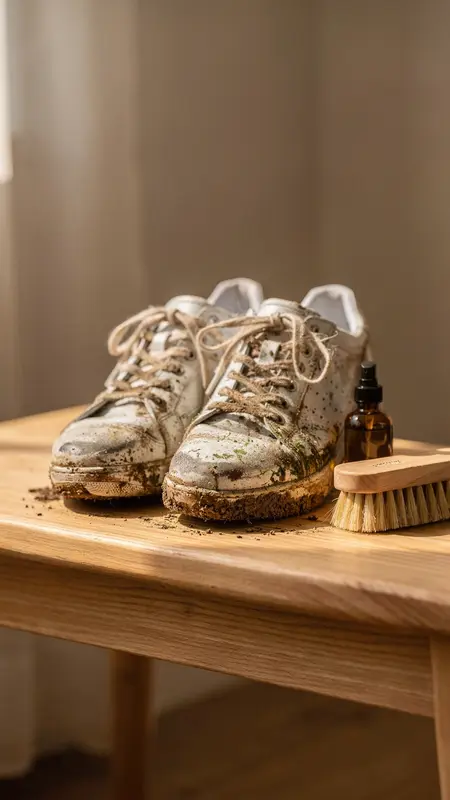
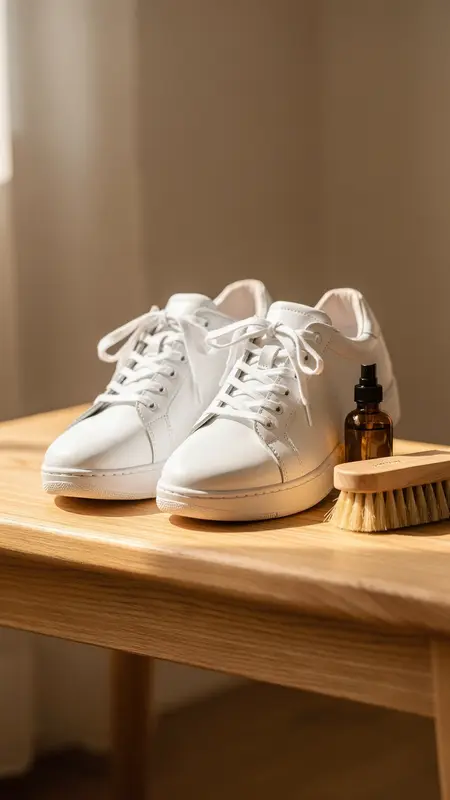
Sneaker cleanerTransition
First frame: Sneaker cleaner
First frame
Last frame: Sneaker cleaner
Last frame

Each example was made from a single product photo, and each transition from a first and a last frame. Tap a video to hear it.

FAQ

AdVideoLab for fashion and accessories brands

Will the video show how the garment fits?

Only as well as the photo does. The model infers fit and drape from what it can see, so an on-model photo gives a much better base than a flat lay for anything worn. Check every video against the real piece before you run it, and don’t use it to promise a fit the garment doesn’t have.

Can I use flat lay photos?

Yes, for product-only videos: a slow overhead drift or a move along the fabric works well. Flat lays are a poor base for creator videos, because a person can’t naturally wear or pick up something the model has only seen from directly above.

Can I show an outfit change?

Yes. Transition mode starts on one photo and ends on another, so you can move from a plain look to a styled one or from one colourway to the next. Match the framing and pose of the two photos as closely as you can; the closer they are, the smoother the change.

Can I use photos with a real model in them?

Yes, if you have the model’s permission to use the image in ads, which you need for any ad. One limit: in Reference mode, Seedance 2.5 refuses photos that show real human faces, so switch to Seedance 2.0 or crop to the garment.

What does an outfit transition cost?

An 8-second transition at 720p on Seedance 2.0 is 176 credits; at 480p it is 80. The Starter plan ($55 a month for 1,000 credits) covers 5 at 720p or 12 at 480p. The one-time $3.99 Trial Pass makes one 480p video up to 15 seconds, so you can check the quality on your own product first.

Give every drop video on day one

No models to book and no studio days. Upload the photos from your last shoot and make creator videos, detail films and outfit changes. Start with a one-time $3.99 Trial Pass.